Best teleprompter apps for sermons and church videos
A sermon is long, personal and full of pauses, which is exactly what a fixed-speed prompter handles badly. Pastors recording a weekly message or an announcement need the text to wait while they let a point land. These apps suit a single speaker at a lectern or in front of a phone.
Our picks
 SmoothCueWaits during pauses and follows you when you improvise, so a long message still sounds spoken, not read.Also great
 Teleprompter ProThe studio-grade sibling: mirroring for glass rigs, remote, keyboard or game-controller control, and file import.Its listing names sermons
 Teleprompter for VideoRecords while you read, then edits: logo, social sizes, green screen and automatic captions timed from your take.
SmoothCue
Waits during pauses and follows you when you improvise, so a long message still sounds spoken, not read.
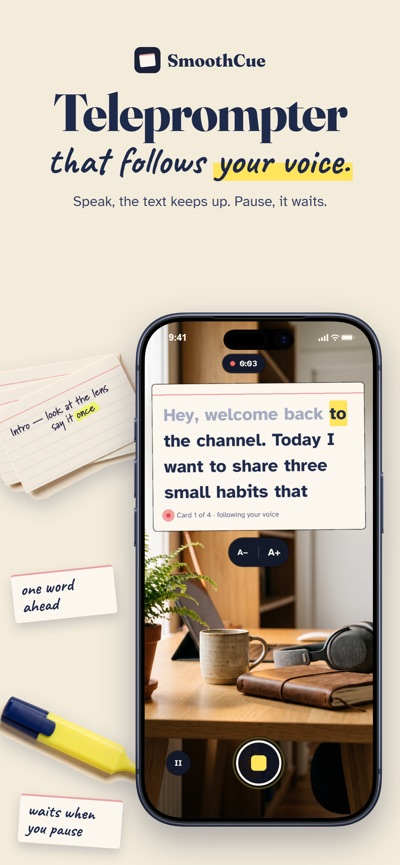
Why we like it: SmoothCue follows your voice word by word, highlights the word you are on and waits when you pause, so there is no scroll speed to set and nobody needs to run the prompter. Voice follow works in 19 languages, including French, Spanish, German, Portuguese, Italian, Dutch, Polish and Turkish.
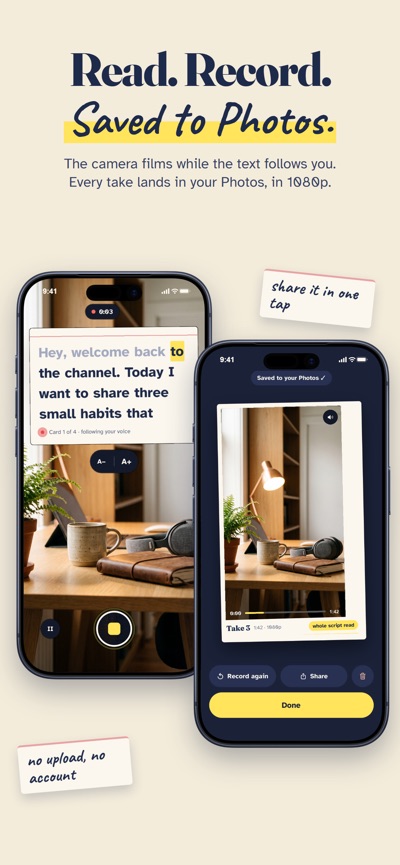
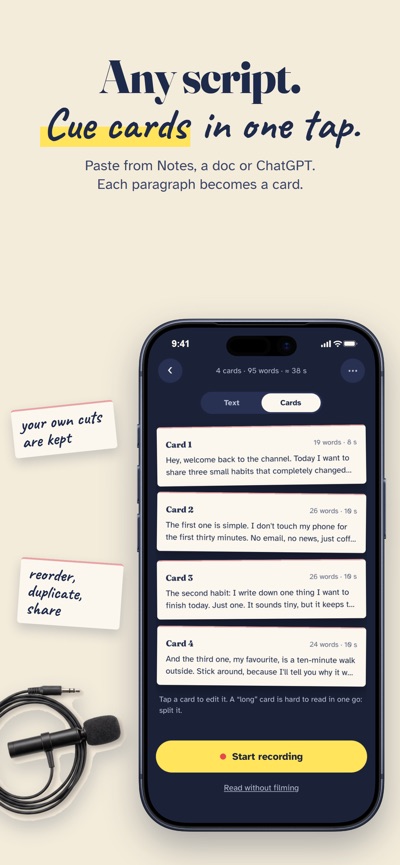
Instead of a long wall of text, it can split your script into short cue cards and shows one at a time next to the front camera, which keeps your eyes close to the lens. Lose your place and you tap a word to jump back to it. Takes are recorded in 1080p or 4K with sound and saved to Photos; there is also a mirror mode for glass rigs and a fixed-speed scroll when you prefer it.
Your first full take is free with every feature unlocked. After that you keep it with a one-time purchase, or a yearly plan with a trial; there is no weekly subscription and no account to create.
✓ Pros
- Voice-follow scrolling in 19 languages
- Cue cards under the lens
- One-time purchase available
- Records 1080p or 4K to Photos
– Cons
- iPhone only for now (no iPad or Mac)
- No remote control, captions or video editor
Disclosure: SmoothCue is made by the team behind this site. How we handle that.
Teleprompter Pro
★ 4.7 · 15,813 ratingsMirroring and remote control for churches that use a glass prompter rig and an operator. The studio-grade sibling: mirroring for glass rigs, remote, keyboard or game-controller control, and file import.
By Teleprompter Apps Ltd · iPhone, iPad, Mac · Free, Pro upgrade
View on the App Store →Teleprompter for Video
★ 4.9 · 15,437 ratingsIts listing names sermons, with captions for posting the message online. Records while you read, then edits: logo, social sizes, green screen and automatic captions timed from your take.
By Norton Five · iPhone, iPad · Free, with paid upgrades
View on the App Store →Preparing this week’s message? Teleprompter tips for sermons →
How we picked
We looked for apps that cope with long scripts, pauses and either a solo speaker or a church rig. Facts checked November 16, 2026; prices and features change, so check the listing before you buy.
Questions
Can I use a teleprompter for a live sermon?
Yes, on a phone or tablet at the lectern. A voice-following app means nobody has to adjust the speed.